Riding in the Catskill Mountains

Here's a guest post from John Ferguson, a long-time Ride With GPS user, avid long-distance cyclist, and recent transplant from New York City to the Catskill Mountains.

Where can you get isolation, killer climbs, beautiful scenery, and polite drivers, all within a few hours of New York city? The answer, of course, is the Catskill Mountains, easily accessible by a short 1.5-hour train ride from Grand Central Station.

On September 17, 2012, I finally left New York City behind and moved to Olivebridge, New York, nestled neatly between the Catskills and the Shawangunk ridge. I had been riding up here for years, taking the train from Grand Central and then leaving from Poughkeepsie. I always had this notion that someday I’d live here. Well, now I’m here in the foothills of the Catskill Mountains, and this is the view from my window.

Living in the city had its benefits and drawbacks. The benefit, of course, was that I always had someone to ride with. The drawbacks? I lived all the way downtown, so a trip out of the city involved 10 miles on the west side bike path, followed by the squeeze over the George Washington Bridge, and then miles of suburbia before getting to the good stuff. 9W, as always, was crowded with cyclists, and for good reason—it is the only decent way out of the city.

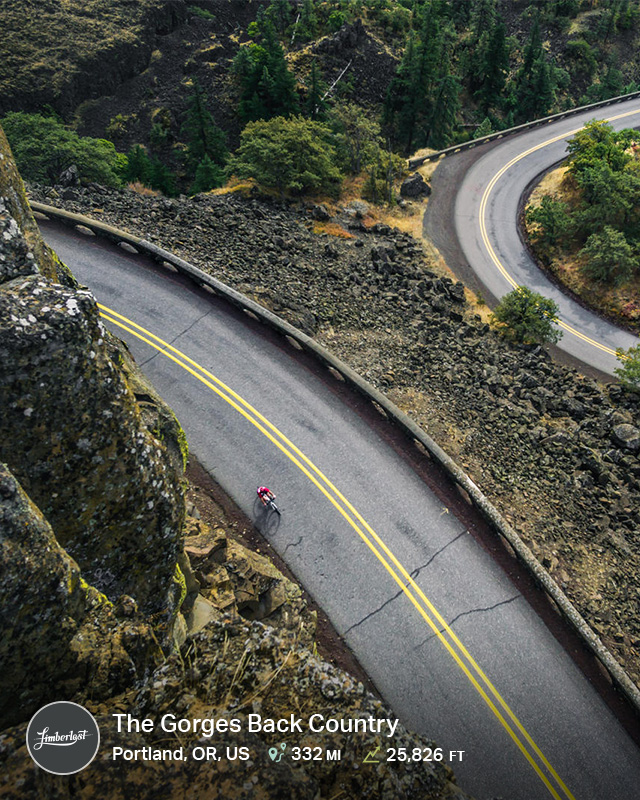
I’ve had a chance to ride most everywhere in the Tristate area and beyond, and—take it from me—the Catskills/Shawangunk area contains some of the best riding to be found in three states, and perhaps anywhere in the US. All of it accessible by train from New York City. I mean, where else within reasonable reach of the city are you going to get roads like this:

Or this:

Or scenery like this:

And did I mention we’ve got miles and miles of gravel?

We’ve also got some of the steepest, longest climbs in 5 states. Legend has it that one, called Platte Clove Road, caused pros to get off their bikes and walk. I’m talking about extended 22% grades, and there are many more like it. The rewards for surviving these climbs are tremendous:

In terms of traffic, let me put it this way: I went for a 75-mile ride last weekend, and except for a brief 1-mile section on a busier road, I saw maybe 10 cars all day.

The only thing missing? My fellow cyclists.

In the roughly 7 months I’ve lived here, I’ve had only a few sightings of other cyclists. Part of that, perhaps, is because I ride throughout the winter, whereas most people have more sense and pack it in when the weather gets cold. Still, cyclists are few and far between. Being unfamiliar with the area, I used Ride With GPS to plot dozens of 50- to 100-mile routes, which I subsequently explored thoroughly. And since I created all those routes, I thought it would be a great thing to share.

That’s when I decided to start a blog. It’s called Riding the Catskills, and it can be found here. Its purpose is to provide guidance on the best rides in the Catskills and Shawangunk ridge region, including where to start, where to refill your water bottles and eat, and what to avoid, and it includes Ride With GPS routes to take some of the guesswork out of riding in a new area (although I’d encourage you to explore). I also talk about my bikes, post product reviews, and an occasional pet picture, although I try to limit the latter to the worst part of the winter when I’m stuck inside.

If you visit my blog, I’d recommend starting by clicking on the tag “Worth the Trip.” I’ve written up the eight biggest climbs in the Catskills here, again, complete with Ride With GPS routes. In addition, I’ve posted a spring route roundup here with multiple routes that range from easy, relatively flat 50-milers that can be completed even by inexperienced cyclists to 100-mile+ rides that will challenge even the most experienced. Of course, there’s much more beyond these few posts, including detailed ride reports and reviews. If you want to skip the reading and go right to the routes, my Ride With GPS routes are here. Using a Garmin—or at the very least a detailed cue sheet—is absolutely critical out here, as many of the best roads are unmarked.

If you’re a New York area rider, you owe it to yourself to skip 9W one weekend (or every weekend) and come out to Ulster county for a ride that will make the Bear Mountain run seem…well…kind of sad (trust me, I did it approximately one million times). It’s easy to get here by train, and when you look at it rationally, how many junk miles and how much time do you put in just getting out of suburbia? Take that time, grab your Garmin, ride to Grand Central, and get on a train!

We invite you to comment below regarding Riding in the Catskill Mountains.

Enable Email+Password Login

If you initially signed up for your ridewithgps.com account using facebook, it is a good idea to edit your ridewithgps profile and add an email address plus password as a backup method of logging in. When you register through facebook, we often do not get a valid email address, and no actual password is stored on our servers. This means you will be unable to use your ridewithgps.com account with third party mobile apps, and you might miss out on important site updates via our newsletter. Adding an email address and password is simple, watch this quick video to learn how:

We invite you to comment below regarding Enable Email+Password Login.

Cue Sheet, A Great Android App For Navigation

One of our long time users, Geoff Matrangola, grew tired of waiting for an Android bike navigation app. For the last two years he has been tinkering with his app Cue Sheet, which provides turn guidance for pre-planned routes using the ridewithgps.com route planner. This latest update provides automatic cue advancement, many bug fixes and an updated UI. Additionally, the latest release has a premium voice guidance package available for $4.


Cue Sheet is easily the best turn guidance app for Android and using it is simple if you already have a Ride With GPS account. If you have an account on ridewithgps.com but signed up through facebook, you'll need to enabled email/password based login to the site. Instructions for doing so can be found here: Enabling email/password login. Once you install the app and input your ridewithgps email+password, you'll get a list of all your pre-planned routes from your account. Simply draw a new route using your computer, then jump on the app and refresh the route listing to see your most recent map listed.

Download Cue Sheet here

Geoff appreciates bug reports and suggestions, which can be made through at the Google Group for Cue Sheet.

We recommend picking up the pro-version of the app, available as an in-app purchase. It enables voice activated turn guidance and is currently on sale at an introductory $4 price.

We invite you to comment below regarding Cue Sheet, A Great Android App For Navigation.

Screencast: Generating a Cue Sheet for a Trip

Step-by-Step Instructions on how to create a cue sheet from a pre-existing trip.

  1. Open up the trip page, then click the "Copy to my account" link in the right sidebar.
  2. Click the link to the new route, then click the Edit link when the route view page loads.
  3. In the right sidebar, select Add/Remove Control Points.
  4. Click along the route, on the blue ball that follows the mouse, and add points to your route.
  5. Grab and Snap the route back into place between Control Points. Cues will be generated for the section being 'snapped' to the road.
  6. Save

Tips: The more you zoom in the more control you'll have, and as always be careful to not click on intersections.

We invite you to comment below regarding Screencast: Generating a Cue Sheet for a Trip.

Screencast: Splitting Up a Route

Step-by-Step Instructions on how to split up a route.

  1. If the route isn't associated with your acount, copy it to your account.
  2. Edit route
  3. Add/Remove Control Points. Remove control points that aren't necessary and add control points where you want to chop the route.
  4. Add/Remove any additiona POI's you want.
  5. Save the Route, and Update
  6. Click "Undo" until you remove the route back to your first POI.
  7. Save the route again as a New Route
  8. Continue mapping
  9. Refresh and then continue to click "Undo" until you get to the next control point.
  10. Repeat until you split the original route into as many smaller routes that you want.

We invite you to comment below regarding Screencast: Splitting Up a Route.

I Could Have Gone Harder

After last weeks post on Getting Ready For A Century, I decided to talk to a friend of mine who is a coach about mentally preparing for an event. Below is what he had to say.

About a month ago American super runner Galen Rupp set the second fastest American time in the indoor mile at 3:50:92, a second off of Bernard Lagat's record. This was the fifth fastest mile ever in the world and just last week set the new American indoor 3,000 meter record. Galen, by the way, also won the silver medal in the 10,000 meters in London last summer. You're probably asking what this has to do with cycling, I'll get to that.

I've been racing primarily triathlons and running races the past 9 years with an occasional bike race lightly sprinkled in, both here in the states and in Italy. In those years of racing, there have been several standout events where I can vividly remember being in absolute physical agony trying to beat someone to the finish or meet a personal goal. In my case, more often than not, this seems to happen in the final miles of the run. Without getting into a long explanation of why, I'll just say that I'm proportionately better on the bike than the swim or run. Trying to maximize my performance with a power meter against fellow age group three-sport competitors on the bike is what I usually aim for.

In 2010 I raced a sprint distance triathlon in Florida against one of my best friends who is also an excellent three-sport athlete. I remember my pre-race plan and even my recorded normalized power on the bike from that day. He's about seven inches taller (thus a great swimmer), so my plan in the swim was to attempt to draft right behind him (totally legal and sometimes encouraged in triathlon). Surprisingly, I was able to get out of the water seconds behind him then quickly chase him down getting out onto the bike course. After passing him on the bike, I kept the effort high and put some good time on him starting out onto the run. It was on the turnaround on the five kilometer run that I knew I was on borrowed time and had to push harder than ever to hold him off. As we got closer to the finish line he caught up to me with about half mile to go and stuck to me like glue. We both put small but seemingly futile surges to try to drop the other. I was in a deep dark painful place with funky abdominal noises happening and the noises of the spectators in the finishing shoot up ahead. Surprisingly, he seemed to slow for a brief moment so I put one last hard surge in - it was a bad decision. In an instant, remnants of my pre-race gel, water and stomach acid came up into my esophagus and up and out of my mouth with about 100 yards to go. Was I at my so called limit for too long? I hit the ground on my knees and kept barfing, he passed me mumbling something in concern. I got back up and tried to chase him down, but repeated the scene surrounded by friends and innocent bystanders. I could see the finish line...

My friend ended up beating me to the line in that race. To this day we joke about the experience and cherish the memory, both good and gross. For most of us, suffering is an essential part of the sport of cycling, at least at dire moments of chasing a breakaway, surf dogging with friends, individual time trials or even sprint finishes. Achieving personal growth in our sport without some intense moments of discomfort is not as satisfying or interesting.

Last summer I, like you, watched the Tour de France. Usually for me, this is done when in Italy with a friend or two after eating the typical lunch and lieu of having a siesta. We watch in real time, so it really heats up around 2-4 pm. I remember a french rider, Thomas Voeckler, he was in the yellow jersey for over a week. He tore himself inside out trying to stay at the top into the big climbing stages but inevitably couldn't keep muscling his way to the win. After all, it's more than just pure guts that allows you to win here. My friends in Italy and I joke about Voeckler every year, as he has an almost annoying looking painful grin. We even at times mimic his face when doing group rides. However, I must give him credit for his ability to hurt and motivate his country.

So, how often do you say "I could have gone harder" after a hard effort, race or fun town line sprint? If you say it often, why? Is it because you realize you had more in the so-called tank? Maybe a better move could have opened up a cleaner line to the finish? It's easy to say, "I could have gone harder," once it's over.

Over the years I've become more interested in the role of the brain in sport. As a coach, I feel it can only help the overall goals of an athlete. It's second nature to take our mind for granted during intense moments of physical exertion and our mind doesn't receive as much recognition as it should. We can set, for example, a pre-specified power range for a time trial, but it's the empirical sensations of pain or joy that are regulated by our brain. The signs of discomfort are registered between our ears - not in our muscles. Pushing our physical boundaries alone is only part of the picture to achieve our goals. Over the years I've become a believer that there's more to fatigue than just mechanical failure of the body and that our brains could have more involvement in that process to regulate balance and act as a buffer to protect our bodies.

Two people that have sparked my interest in this area, are the sometimes controversial Tim Noakes and his Central Governor Theory and author and coach Matt Fitzgerald. Not everyone may agree with their view but I feel there's more to be learned about athletic performance than just physical stress, recovery and adaptation. In order to be a great athlete we need to manipulate our thinking, not just our muscles. We can to a point, once trained, override some of that discomfort and achieve new levels of athletic performance without jeopardizing our well being.

Back to Galen Rupp. He didn't believe he was ready for the indoor mile, as his coach Alberto Salazar told him to enter only three weeks prior. In his post race interview he was asked about how it went. During the final laps he was unable to hear his coach give him his splits due to the fact of the insanely loud cheers from the crowd, nor did he realize how close he was to the record. He was both elated and surprised at the finish. Was the atmosphere such that it played a distracting role in Galen's amazing performance for his brain to override his physical pain a bit? You be the judge.

After your next key event or breakthrough workout, take some time to reflect and ask yourself if you could have gone harder; such as my experience racing against my friend, Thomas Voeckler powering his way to hold on to the yellow jersey, Rupp's super fast mile. Was the risk of more discomfort worth the level of reward? This is individual, but I feel once you learn more about the role of the mind in sport performance the outcomes will be much more satisfying and interesting.

If you really want to feel the energy of Rupp's run and let it push you in select moments of mindful discomfort: watch the race here.

A little bit about Marco

Sports and clinical massage therapy background. Multisport coach since 2008. Certified Youth & Junior Triathlon Coach. Swim Coach at Lakeshore Athletic Club. Mentored under Bob Seebohar. Qualified and raced in two Ironman 70.3 World Championships. Qualified for two Age Group Nationals and Olympic Distance Worlds.

Feel free to email Marco regarding coaching. We invite you to comment below regarding I Could Have Gone Harder.

Getting Ready For A Century

Day light savings is here, the days are getting longer, and the rides are starting to stretch out. With spring rapidly approaching we are creeping close to event season. A fair of amount of you will be doing some sort of cycling event this summer, so we reached out to our friend Thom Kneeland to ask for his advice on preparing for a century. Here's his top 8 tips on making certain you and your bike are ready for the challenge.

  1. Choose the century wisely. You’re going to want to check out the route to make certain you’re up for the task at hand. A 100 miles through the heart of the Rocky Mountains is certainly majestic, but if you are a flatlander, you might not be prepared for the amount of climbing that there will be. A pan flat century has it’s own difficulties. You are going to be pedaling the entire time. The flip side to climbing hill is that at some point you get to come down them and that means coasting. Not much coasting when the biggest elevation gain and loss is a freeway overpass. Plus, flat rides are often affected by winds and if you have to do the last 50 miles of a century into a headwind, it’s like climbing the invisible hill that never ends.
  2. Use your computer for something other than FaceBook and Twitter and do a little research on how well the ride is supported. You want lots of rest stops well stocked with all sorts of goodies treats. Is the course well marked? What’s the after ride meal like? These are all things that will have a very memorable impact on your century.
  3. Know the route as best as you can. Most rides provide maps, corner markings, and people to assist you at all the aid stations. Knowing your route is key. Not much will shut a rider down like thinking you just have to be almost done and then finding out there’s still one more climb and 25 miles to go. If you have the elevation profile, you won’t get tricked on climbs by the false summits. Also, you can always figure out a shortcut if needed. No one is getting a pro contract because the suffered through a century and if shaving off 12 miles keeps your spouse from mutinying during the ride, then that’s a smart time to pack it in early.
  4. Training is good. You should do some. Ride enough so that after you do the century, you don’t throw your bike into the garage and leave it there for a month or until the idea of sitting on a bike seat no longer fills you with dread. You can get very specific in your training and hire coaches and download workouts, but a good rule of thumb is that you should be able to do some rides that are at least twice as long in duration than your regular rides and be okay afterwards. If your body falls apart during a 3 hour ride, it will fail during the century.
  5. Wear good clothes. There’s a reason that some bike shorts cost as much as they do. You get what you pay for in chamois quality. Your undercarriage is worth the investment. Use a chamois creme. They work very well at keeping anything important from getting chafed. You’re gonna sweat and that sweat dries out leaving a nice, salty, abrasive that does wonders at irritating, so do what you should never do at a car dealer and pay for the undercoating. Oh BTW, don’t wear underwear under your shorts. It’s like hiking with a wrinkle in you socks, except if you think a blister is bad on your heel, wait until you get one down there. Not good. Trust me.
  6. Make certain your bike is working and safe to ride. Don’t try and squeeze one more ride out of some worn out tires. New ones will ride smoother and easier, plus if you have a blowout and crash taking someone with you, you’re gonna ruin someone else’s day. Remember that you aren’t out there by yourself.
  7. A common refrain of mechanical advice is to never do anything to your bike right before you do a big or important ride. This holds true for many things, like I would never recommend a new seat the night before or a different shoe/cleat set up. However, bikes aren’t mystery machines ruled by witchcraft and voodoo, so if your bike isn’t shifting right on your after work rides, by all means get it down to your local shop and let them fix it. Pros who make their living racing bikes get recently worked on steeds all the time. Do you think they go into the Tour de France with a bike that hasn’t been lubed in 3 months and hope for the best? No. What’s most important is you have a bike that functions like it should, meaning it shifts smoothly through all the available gears, brakes are adjusted with plenty of brake pad material, handlebar tape is intact and not sloughing off, cables are smooth and unfrayed, tires are round, in good shape with no cuts, and plenty of rubber, and your wheels are true and tensioned. If your bike needs fixing, fix it and fix it properly. You’re going to be doing a ride with a few hundred other people and you’re going to have to sign a waiver stating that you and your bike are ready to go, so you have a responsibility to see that you are.
  8. Most importantly when it comes to doing a century, is go into it with clear intentions of what you want to get out of it. If you just want to ride a hundred miles to see if you can, don’t have expectations of sitting in a fast group and trading pulls all day. Conversely, if you need to crack the 5 hour time, don’t go the the century with friends who are looking for an all day social ride. And always know when to call it a day if there’s an early out option.

We hope that these tips help you when selecting and preparing for your summer events. You can follow Thom on Twitter and Facebook, and check out his website here. We invite you to comment below regarding Getting Ready For A Century.

Screencast: Route Embed

Here's an informative screencast on how to embed a route from Ride With GPS in your blog, website, and forum.


Here's an example of an embeded route. Check it out and then click here to get started embeding your first route.


We invite you to comment below regarding Screencast: Route Embed.

Activity Center - Advanced Filtering and Tagging

We just released some great new additions to the Activity Center, one of our flagship premium account features that lets you explore and manage all of your ride/activity data with ease.

Advanced Filtering

Now that we've built out our advanced filtering tool, you can explore your data in new ways.

Here are some examples of what you can do:

  • Graph the time you spent commuting this year.
  • See all the times you've climbed 5k feet or more in 2012.
  • Get a list of all 30-40 mile rides you've ever recorded.

These queries are so simple now that it's actually fun to explore and organize years of ride data!

Bulk Tagging

Find the rides you want to group, select them, and add tags. It's fast and straightforward to get your rides organized exactly how you want.

Graph what you want

I wanted a graph of all my commutes in 2010. No problem. Visualizing exactly what you want to see is so easy you'll actually do it.

Video Walkthrough

Interested to see how this all works? Check out this short video below where I walk through advanced filtering and tagging in Activity Center.

Have any questions or ideas for us? We invite you to comment below regarding Activity Center - Advanced Filtering and Tagging. Thanks for reading!

Comp Wrap Up: Cold-as-Hell Challenge

The Cold-as-Hell challenge proved to be our hardest individual challenge to date. The weather was miserable for most, and the distance goals were lofty. However, in spite of the difficulty, it was a huge success! Not only are the sheer numbers of rides, hours, and miles impressive but the pictures that participants shared made this event come to life more than any of the others we have put on.

The feedback we receive from participants of these challenges is extremely positive.

I had entirely too much fun. This was first time ever riding in the snow, thanks to the Cold as Hell Challenge and thanks to Michigan actually having winter this year. I had a heart attack a couple of years ago, so I'm highly committed to having fun staying fit. - Dan Spangler

Here's how awesome the participants are

140 Mile Challenge Recap

350 Mile Challenge Recap

840 Mile Challenge Recap

First, we'd like to highlight our two 840-mile finishers and one participant who surprised us all. 840 miles in two weeks is incredibly ambitious, and to make it across the finish line is a huge accomplishment. If you were paying attention to the leaderboards toward the end of this challenge, you would have seen these two gentlemen neck-and-neck for the final week: Jeffrey Timm completed with 845.5 miles, in 52.1 hours. Congratulations Jeffrey on inching out that finish, winning by only 2.5 miles! Jeffrey is no stranger to putting in big miles in our challenges, completing 2040.5 miles in our Tour de France challenge last summer. Nico completed with 843 miles, coming in at only 46.6 hours. Incredible to see another finisher in this difficult challenge. Great work! We were watching you and Jeffrey swapping spots toward the end. While we were watching the 840-mile contenders to see who would take it, pgsky, who entered the 350-mile challenge, snuck right by both our 840-mile finishers and completed with an inspiring 875.9 miles in 58 hours.

Lottery Winners

140 Mile Challenge: Fuuga, John Gavin, and Chris D.

350 Mile Challenge: tom2407, bawbag, and James Harrison.

840 Mile Challenge: We'd like to recognize the two runners-up in this challenge, for giving it a serious shot: Richard Church with 569.3 miles in 38.6 hours, and Ian Hoogendam with 441.2 miles in 26.6 hours. Congratulations to both of you! Knocking down that many miles is no small feat.

Honorable Mentions

Carolyn is the 140 Mile Challenge finisher with the most rides; 28 rides in total.

Russell Carson is the 140 Mile Challenge finisher with the least rides; 2 rides in total.

pgsky completed the 350 Mile Challenge with the most hours. A total of 58hrs

aejc completed the 350 Mile Challenge with the fewest hours. A total 21hrs

Dan Spangler is honorable mention for the most shared photos during the challenge!

Lottery winners and honorable mentions will all receive a Ride With GPS free water bottle and T-shirt. We will be contacting each individually.

Photos

Thank you to all who participated and took the time to share photos!

We invite you to comment below regarding Comp Wrap Up: Cold-as-Hell Challenge, and share any fun stories you might have from participating in the challenge.